
TL;DR
The best AI business portrait generator should create polished, realistic images that work across LinkedIn, company pages, proposals, speaker bios, and social profiles. Look for consistent facial likeness, natural lighting, business-ready crops, and export options before comparing price or speed.
A business portrait has to do more than look attractive; it has to earn trust in a small square, a website hero section, and a proposal deck. The best ai photo generator for business portraits in 2026 is the tool that produces realistic, brand-safe, multi-use images without making the subject look over-edited. Business portrait: a professional image that presents a person's identity, role, and credibility for commercial, career, or public-facing use. Portrait photography, according to the Wikipedia definition supplied in the research data, focuses on capturing personality through lighting, backdrops, and poses. Looktara fits this need by helping professionals create polished profile imagery for business contexts, while related visual assets such as a resume headshot generator can support job-search materials.
Table of Contents
What is the best AI photo generator for business portraits?
The best AI photo generator for business portraits is the one that creates realistic, consistent, business-ready images for several professional channels, not just a single LinkedIn crop. In 2026, the strongest choice should handle headshots, website portraits, proposal bios, creator profiles, and team pages with natural skin texture and believable lighting.
Key insight: a business portrait generator should be judged by where the image will be used, not only by how impressive the first sample looks.
Business portraits differ from casual AI avatars because they carry commercial intent. A founder portrait on an investor slide, a consultant photo in a proposal, and a recruiter-facing LinkedIn image all need a credible expression, clean wardrobe, and restrained background.
Research on AI systems also shows why trust matters. Rudolph, Tan, and Tan's 2023 paper on the rapid rise of chatbots and generative AI examined how fast AI tools entered education and professional workflows, a shift that also affects visual identity tools (Journal of Applied Learning & Teaching).
Business portrait tools compared by best fit
| Tool or category | Best fit | Business portrait strength | Watch point |
|---|---|---|---|
| Looktara | Professionals wanting business-ready profile visuals | Friendly workflow for polished profile and brand imagery | Best results still depend on strong input photos |
| Aragon.ai | Individuals and teams needing corporate headshots | SERP competitors describe team and company features | May be more headshot-focused than broader brand-use focused |
| HeadshotPro.com | Companies needing consistent headshots | Often positioned around professional headshot delivery | Creative control may vary by plan |
| Canva AI headshot tools | Quick edits and accessible design workflows | Useful for simple enhancement and social graphics | Free tools may need extra review for realism |
| Fotor | Photo editing plus AI image tools | Fotor is an online photo editing software launched in 2012 | Editing suite scope can be broader than portrait specificity |
| PhotoAid | ID and biometric-style photo needs | PhotoAid develops digital image processing and facial-recognition tools | Passport-style output is not the same as brand portraiture |
How should business portraits differ from standard headshots?
Business portraits should communicate role, personality, and commercial credibility, while standard headshots often focus on face clarity alone. A strong business portrait supports multiple formats: LinkedIn, company About pages, sales proposals, pitch decks, speaker bios, podcast artwork, and creator media kits.
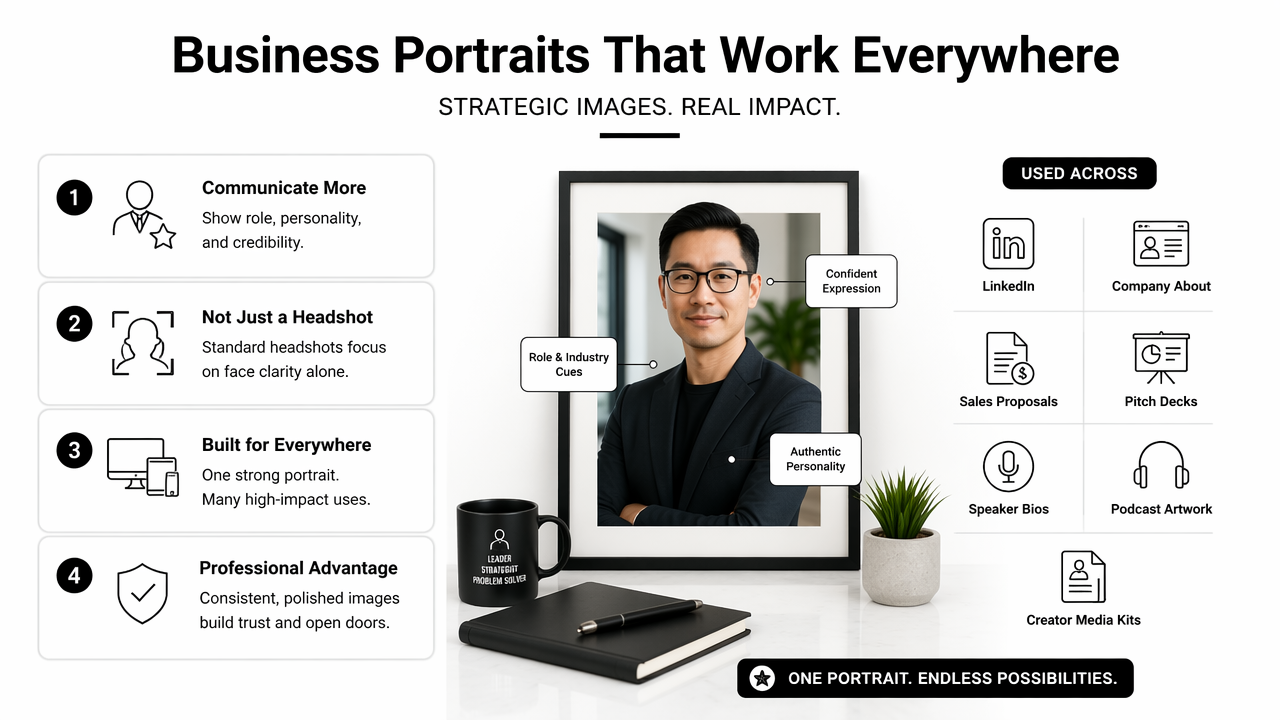
A headshot usually crops close to the face and shoulders. A business portrait may include more context: posture, wardrobe, workspace cues, or brand colors. That wider use makes composition and aspect ratio more important.
AI-generated characters are not only a consumer novelty. Pataranutaporn, Danry, and Leong explored AI-generated characters for personalized learning and well-being in 2021, showing broader research interest in synthetic human representation and personalization (Nature Machine Intelligence). Business portrait tools sit inside that larger shift, where generated human imagery must feel useful, personal, and believable.
Business portrait requirements by channel
- LinkedIn profile: clean face visibility, confident expression, neutral or lightly branded background.
- Company website: consistent lighting, crop flexibility, and a look that matches other team images.
- Sales proposal: polished but approachable style, often with more conservative wardrobe choices.
- Pitch deck or speaker bio: high-resolution portrait with room for text, logos, or event details.
- Creator or influencer profile: more personality, stronger color, and a style that still avoids looking fake.
For professionals building supporting brand assets, a pitch deck slide AI generator can help place a portrait into a more complete business presentation, while a YouTube thumbnail AI generator can adapt the same visual identity for video-first channels.
A useful business portrait system creates an image library, not a single profile picture.
How to choose the best AI photo generator for business portraits
Choose the best AI portrait generator by testing realism, likeness, business-use formats, privacy controls, editing flexibility, and brand consistency before price. The right tool should produce several usable images, handle different crops, and keep the subject recognizable across professional settings.
A practical evaluation starts with output quality. Over-smoothed skin, mismatched eyes, warped hands, or strange teeth can make a portrait feel synthetic. Those flaws matter more in business contexts because the photo may appear beside a legal name, job title, or company logo.
Security and authenticity also deserve attention. Heidari, Jafari Navimipour, and Dağ published a 2023 systematic review on deepfake detection methods, reflecting the wider need to evaluate AI-generated faces carefully as synthetic media improves (Wiley Interdisciplinary Reviews: Data Mining and Knowledge Discovery).
Buyer checklist for business portrait generators
- Check likeness first: the subject should look like the same person across several outputs.
- Review facial details: eyes, teeth, hairlines, glasses, and hands need close inspection.
- Compare crops: test square, vertical, and horizontal versions for profile pages and websites.
- Assess business styling: wardrobe, background, and pose should match the intended role.
- Confirm export quality: images should be sharp enough for web pages, decks, and press kits.
- Look for editing control: background, outfit, lighting, and retouching options reduce reshoots.
- Evaluate privacy terms: uploaded selfies and generated portraits should be handled responsibly.
For creators who need a portrait plus educational content, an Instagram infographic AI generator can turn the same professional identity into shareable expertise posts. For brand quotes or thought-leadership snippets, a quote post AI generator can extend the portrait style into social content.
How Looktara handles business portrait workflows
Looktara is best suited for professionals who need polished portrait imagery that can connect with broader personal-brand content. The Looktara platform is useful when a profile photo has to support more than one channel, such as job applications, founder pages, sales materials, social posts, and creator thumbnails.
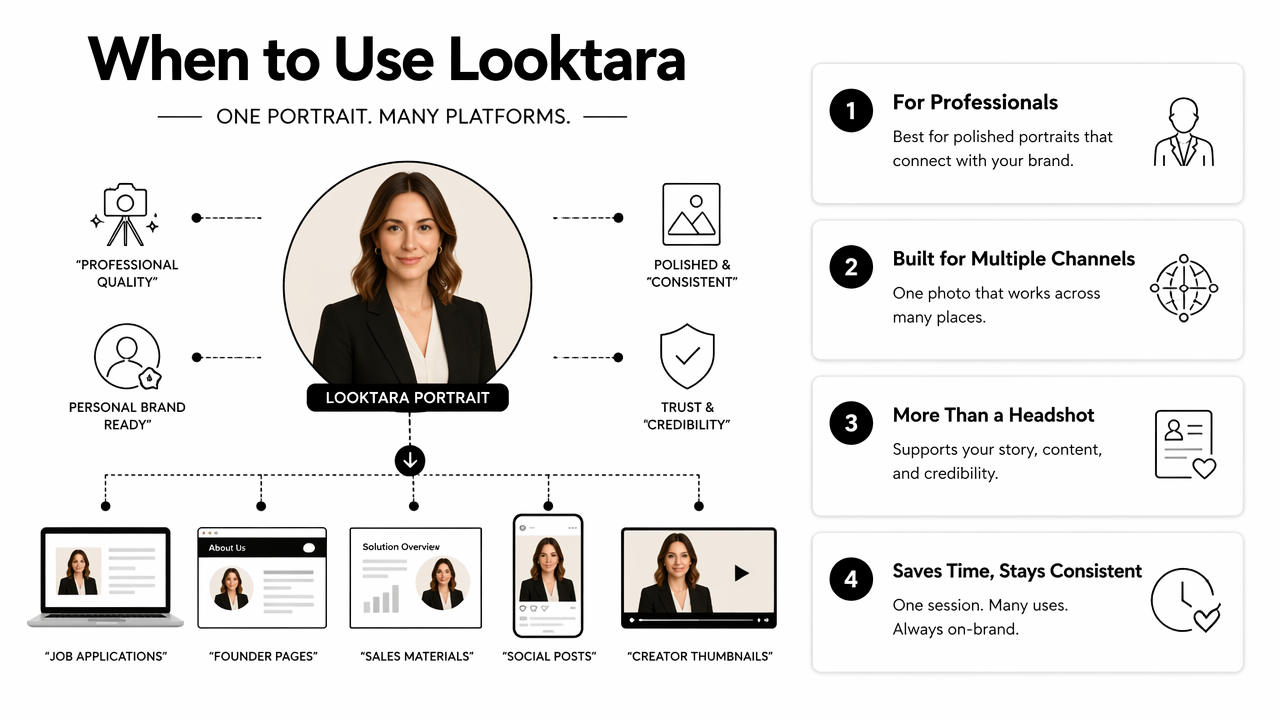
A practical workflow starts with clear source images. Good input photos should show the face from several angles, include natural lighting, and avoid heavy filters. Then the generated set can be reviewed for realistic expression, role-appropriate style, and crop flexibility.
Positive business portrait results usually come from matching the output to the audience. A startup founder may need a warmer, more editorial image. A finance consultant may need a calmer, more traditional style. A remote freelancer may need a portrait that feels approachable but still professional.
Where Looktara fits in a business portrait stack
| Use case | Portrait need | How Looktara fits |
|---|---|---|
| Job search | Trustworthy LinkedIn and resume image | Creates polished profile visuals for career materials |
| Founder branding | Website, pitch deck, and press bio consistency | Supports a more unified personal-brand look |
| Freelance services | Profile image for marketplaces and proposals | Helps create a professional first impression |
| Creator business | Social profile plus content thumbnails | Keeps the person's image aligned with content assets |
| Dating profile refresh | Authentic, attractive personal photo | Can support cleaner, more natural profile presentation |
A business portrait rarely works alone. Supporting visuals, such as a Pinterest pin AI generator, can help creators and entrepreneurs distribute the same brand presence across discovery channels. For direct use, visit looktara.com and review portrait outputs against the channel checklist above.
FAQ about AI business portrait generators
AI business portrait generators are useful when the goal is fast, polished, and channel-ready profile imagery, but the final choice still depends on realism, use case, and review standards. The questions below answer common buying concerns without assuming every tool fits every professional situation.
Are AI business portraits acceptable on LinkedIn?
AI business portraits are generally acceptable on LinkedIn when the image looks realistic, current, and truthful to the person's appearance. The safest option is a natural portrait that avoids excessive retouching, fantasy styling, or misleading age and body changes. Recruiters and clients usually respond better to credible polish than dramatic transformation.
What input photos produce the best AI portraits?
The best input set includes clear, recent images with different angles, expressions, and lighting conditions. Heavy filters, sunglasses, extreme shadows, and group photos can reduce accuracy. A mix of front-facing and slight side-angle photos gives the generator more facial information and improves consistency across business portrait outputs.
Can one AI portrait work for every business channel?
One AI portrait can work across several channels, but a small set is better. LinkedIn often needs a tight square crop, while websites and speaker pages may need vertical or horizontal framing. Proposal bios may require a calmer expression. A generator that creates multiple styles gives professionals more practical choices.
What makes an AI portrait look fake?
An AI portrait looks fake when the face is over-smoothed, the eyes point in different directions, glasses bend oddly, teeth blur, or clothing folds appear unnatural. Backgrounds can also expose synthetic generation through warped furniture or strange lighting. Careful review at full size is necessary before business use.
Is the best ai photo generator for business portraits always a paid tool?
The best ai photo generator for business portraits is often paid when consistency, export quality, and business-use control matter. Free tools can be useful for quick experiments, but professional use usually needs better likeness, fewer artifacts, and more format options. Cost should be weighed against the value of a trustworthy public image.
Conclusion
The best ai photo generator for business portraits should be selected by output realism, channel fit, and business context rather than novelty. A strong portrait set should support LinkedIn, company pages, proposals, speaker bios, and creator profiles with the same recognizable identity.
A sensible next step is simple: gather recent, well-lit photos, define the main use case, generate several portrait styles, and review every image at full size before publishing. For professionals building a broader visual identity, Looktara and related tools on looktara.com can help turn a single portrait need into a more consistent personal-brand presence.
Generated by EarlySEO.com