
TL;DR
Professional AI profile photos work best when they look credible, current, and platform-ready, not overly stylized. The safest choice is a realistic headshot style, strong lighting, clean background, and consistent brand use across LinkedIn, resumes, websites, and social channels.
A profile photo now acts like a tiny trust signal before a résumé, pitch deck, portfolio, or dating profile gets read. An ai profile picture generator for professionals turns existing selfies into polished portraits for LinkedIn, business bios, creator profiles, and remote-work pages, often faster and cheaper than a studio session. For people who want professional brand imagery without managing a photo shoot, Looktara offers a practical path from casual image to profile-ready visual.
AI profile picture generator: software that uses generative artificial intelligence to create or enhance a portrait image for digital identity, professional branding, or social media use.
Avatar: in computing, an avatar is a graphical representation of a user, character, or persona; a professional profile picture is narrower because it must support identity, credibility, and recognition.
A strong professional AI headshot should make the person look prepared, approachable, and real, not fictional or over-edited.
Table of Contents
What is an AI profile picture generator for professionals?
An AI profile picture generator for professionals is a tool that converts uploaded photos, prompts, or style selections into polished portraits for work and public profiles. The best tools focus on realistic facial consistency, business-appropriate clothing, clean lighting, and platform-specific crops rather than fantasy avatar effects.
Modern portrait generators sit inside the broader field of deep learning, where models learn visual patterns from large datasets. A 2021 overview by Iqbal H. Sarker in SN Computer Science explains deep learning techniques and applications across image, language, and decision systems, giving useful context for how visual AI has matured: Deep Learning overview.
The professional use case differs from playful avatar creation. A LinkedIn recruiter, client, podcast guest page, or online store founder profile needs a recognizable person with natural skin texture, stable facial features, and a setting that matches the work context.
Professional generator types at a glance
| Generator type | Best use | Professional risk |
|---|---|---|
| Headshot generator | LinkedIn, résumés, company bios | Can look too formal if every image uses the same suit style |
| Profile picture maker | Social platforms, creator pages, communities | May lean casual or decorative |
| Avatar generator | Gaming, forums, creative identity | Often too stylized for hiring or sales trust |
| Brand-image generator | Entrepreneurs, consultants, coaches | Needs consistent colors, crops, and tone |
A practical workflow starts with the end platform. A résumé headshot needs restraint, while a founder image can show more personality. Looktara can fit that middle ground when a person needs polished photos that still feel human.
Which professional profiles benefit most from AI photos?
AI-generated profile photos benefit professionals whose online identity must be updated quickly across hiring, sales, social, and personal-brand channels. The strongest fit is a person with acceptable source selfies, a clear career goal, and a need for consistent portraits across multiple platforms.
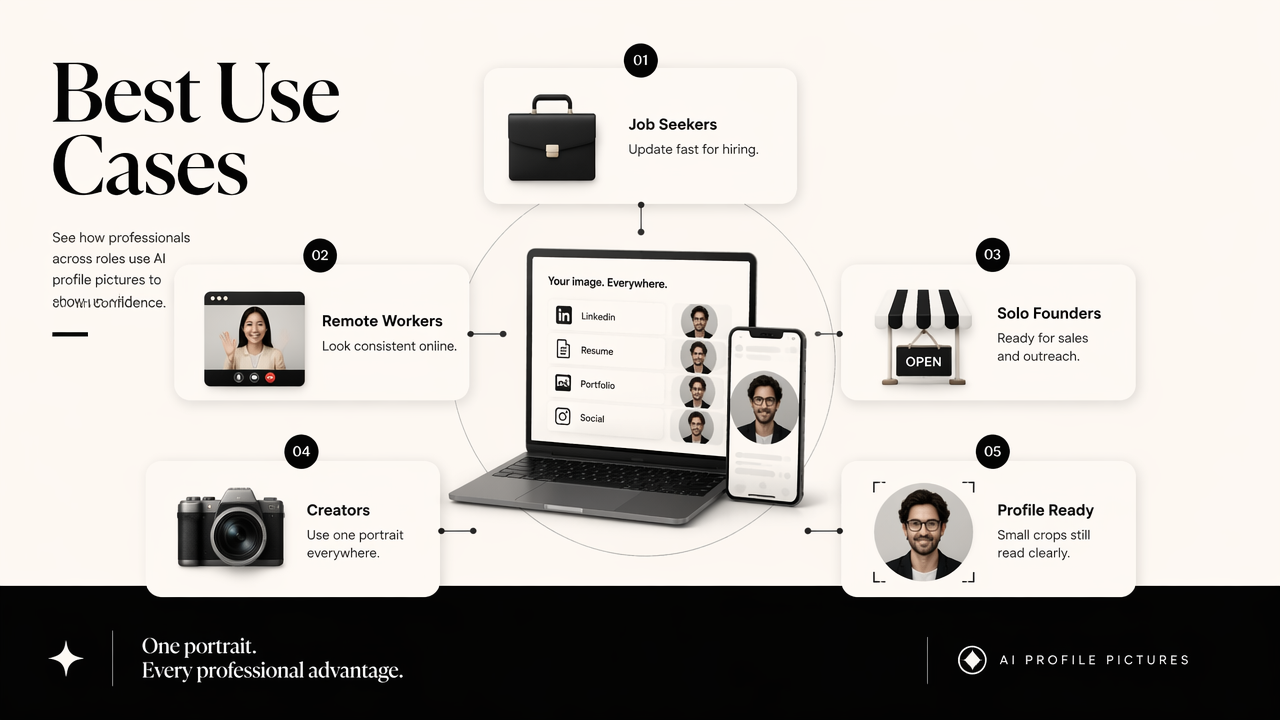
Not every professional image needs a studio. Many career profiles need clear framing, good light, a confident expression, and a crop that works in a small circle. That makes AI headshots especially useful for remote workers, job seekers, solo founders, and creators who publish across several channels.
Platform-by-platform photo goals
| Platform | Best image style | Main conversion goal |
|---|---|---|
| Realistic headshot, neutral background, business or smart-casual clothing | Recruiter trust and profile clicks | |
| Résumé or CV | Conservative crop, simple lighting, no distracting background | Credibility during screening |
| Company website | Branded background, consistent team style | Client confidence |
| Creator bio | Expressive but clear face, color aligned with niche | Recognition and follows |
| Dating apps | Authentic, warm, natural expression | Approachability and real-world trust |
Job seekers often get the clearest value because old selfies, wedding crops, and vacation photos can weaken a serious application. A dedicated resume headshot AI generator helps keep the image aligned with career materials rather than casual social feeds.
Creators and entrepreneurs also need visual consistency. A coach, consultant, or Shopify store owner may use the same face across a site, email signature, and social posts. Supporting assets such as a fitness Shopify logo AI generator can help keep the personal image and business identity in the same visual family.
Professional photo quality is not about looking expensive; it is about reducing doubt before the first message, interview, or purchase.
How should professionals choose the right generator?
Professionals should choose an AI profile photo tool by judging realism, identity consistency, privacy, editing control, export quality, and platform fit. A good generator should produce several usable options, preserve recognizable facial features, and avoid exaggerated styling that creates doubt.
A friendly interface matters, but image judgment matters more. Tools such as Canva, Monica AI, PFPMaker, Aragon AI, and AI SuitUp appear in current search results because they promise quick professional images. The better decision is not only speed; it is whether the result supports a real profile goal.
Selection checklist for professional results
- Start with realism: skin, eyes, teeth, hairline, and face shape should look consistent with the person.
- Check platform crop: the face should remain clear in square, circle, and horizontal layouts.
- Review clothing styles: business casual often looks more believable than a generic corporate suit.
- Inspect backgrounds: plain, office, studio, and soft-color backgrounds age better than trendy effects.
- Confirm export quality: images should be sharp enough for LinkedIn, websites, press kits, and PDFs.
- Consider adjacent brand assets: a profile photo should match banners, thumbnails, posts, and logos.
Side-by-side decision table
| Tool category | Good for | Less ideal for | Pick when |
|---|---|---|---|
| Looktara | Professional headshots plus broader brand visuals | Highly experimental fantasy avatars | A cohesive personal brand matters across channels |
| Canva-style design suites | Quick edits and templates | Deep facial consistency across many headshot styles | Design layout is as important as the portrait |
| LinkedIn-only generators | Fast business crops | Multi-platform creator or founder branding | The main goal is one LinkedIn update |
| Avatar-first tools | Creative personas | Hiring, sales, legal, finance, or healthcare profiles | A stylized identity is intentional |
The Looktara platform is especially useful when the profile photo is part of a wider content system. A professional who also needs a YouTube thumbnail AI generator, a TikTok cover AI generator, or a Pinterest pin AI generator can keep visual signals aligned instead of mixing unrelated tools.
Research around generative AI also shows why human review still matters. Rudolph, Tan, and Tan discussed generative AI in assessment contexts in a 2023 paper in the Journal of Applied Learning & Teaching, highlighting wider concerns about authenticity and evaluation: ChatGPT and traditional assessments. For profile photos, the same idea applies in practical terms: a generated image should be checked against real identity and professional context.
What makes an AI headshot look credible in 2026?
A credible AI headshot in 2026 looks recognizable, naturally lit, modestly edited, and appropriate for the profile where it appears. The image should not hide age, alter identity, create plastic skin, or use a dramatic background that distracts from the person.
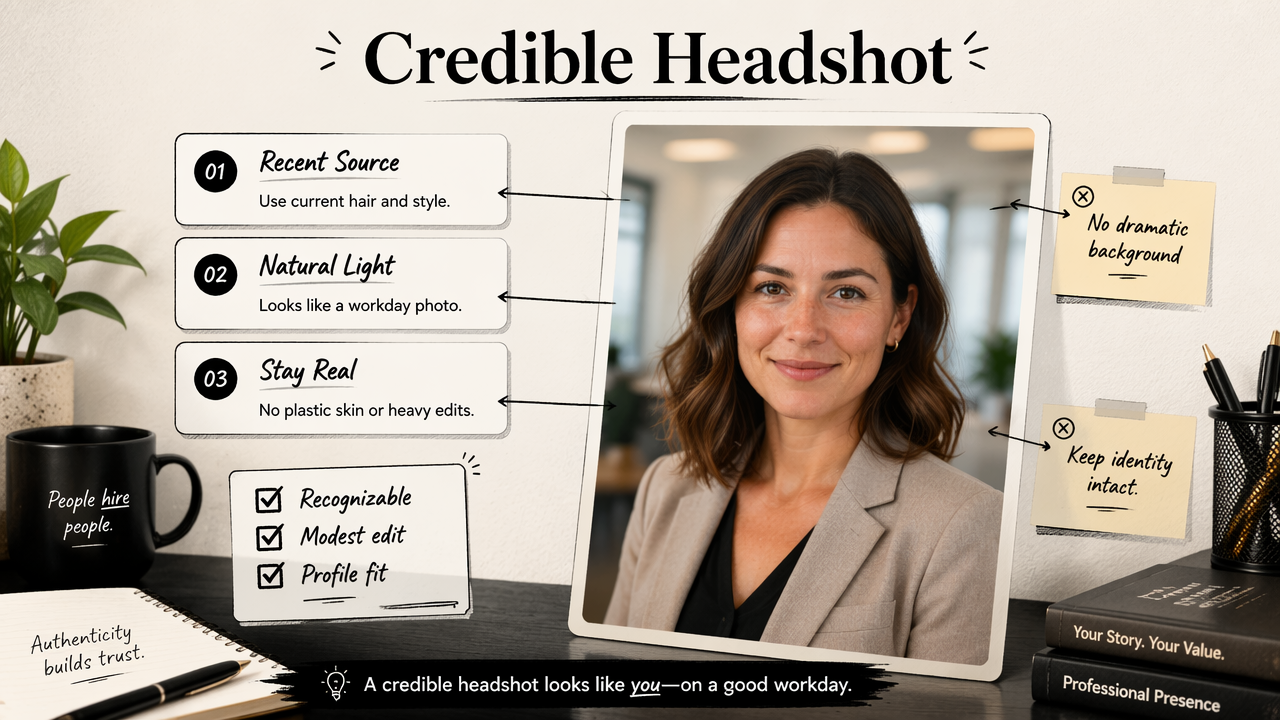
Professional realism has become the main quality filter. Recruiters, clients, and followers see many AI-polished images now, so over-smooth faces and identical studio backgrounds can feel less trustworthy. The strongest photo usually looks like a well-lit version of the person on a normal workday.
Best practices for a believable profile image
- Use recent source photos: current hairstyle, glasses, facial hair, and age cues help recognition.
- Keep expression natural: a small smile or relaxed neutral look usually outperforms a stiff pose.
- Avoid heavy glamour edits: polished is fine; unrecognizable is a credibility problem.
- Match the industry: finance, law, and healthcare need more restraint than creator or coaching profiles.
- Save multiple crops: square, circle-safe, vertical, and website banner versions prevent awkward cuts.
- Test at small size: most profile images are judged in a tiny thumbnail first.
Common mistakes to avoid
| Mistake | Why it hurts trust | Better choice |
|---|---|---|
| Overly perfect skin | Signals artificial editing | Keep natural texture |
| Unrealistic suit or pose | Feels disconnected from real work | Choose clothing worn in the actual role |
| Busy background | Pulls attention away from the face | Use soft studio, office, or plain color |
| Inconsistent face across versions | Creates identity doubt | Select one accurate photo set |
| Trend-heavy styling | Dates the profile quickly | Use simple lighting and classic framing |
A clean professional portrait can also support public-facing brand content. For example, a consultant with a polished headshot can reuse the same visual identity in an Instagram post AI generator for announcements, tips, or service launches.
The safest professional standard is simple: the image should look like the person could walk into the meeting looking the same.
FAQ: Professional AI profile pictures
AI profile picture tools are useful when the goal is a credible, current, and platform-specific image, but they still require human judgment. The best outcomes come from strong source photos, realistic style choices, and careful review before publishing.
Is an AI-generated profile picture acceptable on LinkedIn?
An AI-generated LinkedIn photo is acceptable when it represents the person accurately and looks professional. The image should preserve recognizable facial features, avoid misleading edits, and match the person's real work identity. A natural headshot with business-appropriate styling is safer than a cinematic or avatar-like image.
How many source photos are needed for a good result?
Many tools can work from a small set of selfies, but better inputs usually improve consistency. Source photos should show the face clearly, include different angles, and avoid sunglasses, heavy filters, or extreme lighting. Recent images matter because a professional profile should support recognition in interviews and meetings.
Are AI profile pictures better than studio photos?
AI profile pictures are better for speed, cost control, and quick updates across platforms. Studio photos are better when a company needs exact lighting, art direction, and guaranteed realism. Many professionals use AI first, then book a photographer later for executive portraits, press kits, or regulated industries.
What file style works best for professional profiles?
A square image with the face centered works best for most profile systems because it survives circular cropping. A neutral or lightly branded background gives the photo longer shelf life. High-resolution exports are useful for websites and PDFs, while smaller compressed versions work for social platforms.
What should happen before publishing an AI headshot?
The final image should be reviewed at full size and thumbnail size. Facial features, hands, clothing edges, glasses, earrings, teeth, and background lines need a close check. If the photo supports a résumé, company bio, or client-facing profile, accuracy should matter more than dramatic style.
Conclusion
A professional profile picture is a trust asset, not just a decoration. The best AI-generated portrait in 2026 is realistic, current, platform-ready, and consistent with the person's broader brand system.
An ai profile picture generator for professionals should be judged by credibility first and convenience second. The next step is simple: gather recent selfies, choose a realistic headshot style, export several crops, and compare each image at thumbnail size before publishing.
For career profiles, founder pages, creator branding, and polished social presence, Looktara gives professionals a practical way to create profile-ready visuals and related brand assets in one place. Visit looktara.com when a refreshed headshot needs to support a stronger digital first impression.
Generated by EarlySEO.com